
Expressvpn Glossary
Database administration

What is database administration?
Database administration refers to the set of processes and roles involved in managing and maintaining databases. It encompasses the oversight of databases that store, organize, and retrieve data for applications, websites, businesses, or other systems.
Database administrators (often called DBAs) are the professionals responsible for this work. This often includes managing databases that use Structured Query Language (SQL) to handle data, along with other database systems.
How does database administration work?
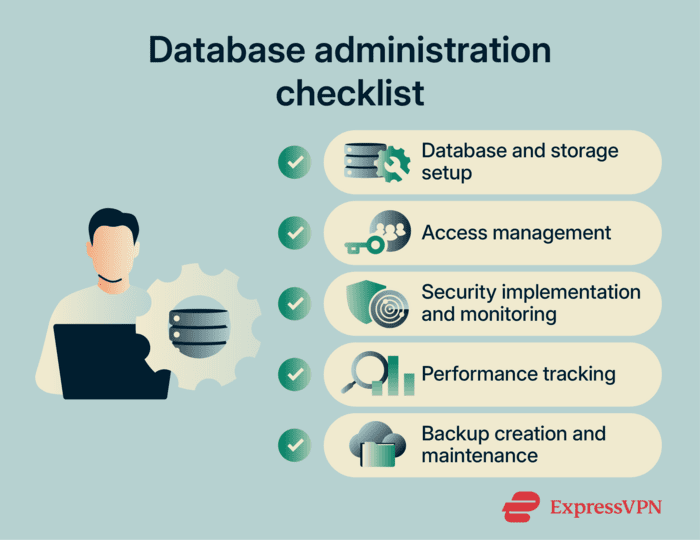
Database administration usually involves planning, configuration, and security. Modern teams often rely on automation to handle repetitive tasks like scaling and backups. Common duties include:
- Configuring database engines and storage: Setting up software, storage layout, encryption, and performance settings to handle expected traffic.
- Managing users, roles, permissions: Controlling who can access which data, and what they can do with it, using least privilege and role-based access control.
- Patching, upgrading, and securing: Applying updates, closing unsafe defaults, and reducing exposed attack surface.
- Monitoring performance and resource usage: Watching for slow queries, blocked transactions, CPU or memory pressure, and storage growth before they cause downtime.
- Automating backups, restores, and replication: Creating regular backups, testing restores, and setting up replication or failover (backup systems) so the service can recover from failures or disruptions quickly.
Why is database administration important?
- Prevents outages and data loss: Regular monitoring reduces the chance that a single failure takes down the database and the systems that rely on it.
- Reduces breach risk via hardening: Tight permissions, safe network exposure, and secure settings cut common attack paths that can lead to data breaches.
- Supports compliance and audit readiness: Clear access controls, logs, and retention practices help meet legal and contractual duties.
- Maintains fast, reliable application access: Query tuning and capacity planning keep apps responsive as usage grows.
- Enables secure scaling: Ongoing management and audits help DBAs to maintain security as database volumes grow.
- Protects data integrity: Careful indexing, backups, and recovery planning reduce the risk of corruption, conflicting writes, and failed migrations.
Where is it used?
- Web apps and Software-as-a-Service (SaaS) backends: Keep customer databases responsive and available.
- Enterprise networks: Control access to records, and support reporting and upgrades.
- Financial, healthcare, government systems: Enforce auditing, retention, and encryption with high availability.
- Cloud and managed databases: Lock down network and identity access, and tackle security concerns in cloud computing.
- Analytics, warehouses, logging: Manage large and growing data volumes to control cost and exposure.
Risks and privacy concerns
- Misconfigured permissions: Overbroad access can turn a bug into a major leak.
- Excessive privileges: High-level rights increase insider threat risk and should be limited.
- Insufficient security: Weak or reused database passwords can be vulnerable to attacks like credential stuffing. Inadequate encryption can also leave data at risk.
- Unpatched systems: Ignoring or missing updates allows attackers to target known vulnerabilities.
- Poor backups: Untested or corrupted backups may fail during recovery from incidents like ransomware.
Further reading
- Privilege escalation explained: Types of attacks and prevention
- Authentication vs. authorization: What’s the difference?
- What is SQL injection? How it works and how to prevent it
- Why software security audits matter
- What is big data security and privacy?
FAQ
What’s the difference between a DBA and a data engineer?
A database administrator (DBA) keeps production databases stable and safe. A data engineer builds pipelines that move and transform data for analytics.
How do DBAs secure remote admin access?
Database administrators (DBAs) limit who can connect, from where, and under what conditions. When providing remote database administration services, they use controls like virtual private network (VPN) access, multi-factor authentication (MFA), IP allowlists, short-lived credentials, and logging. They also keep admin access off public networks whenever possible.
What are the most common database administrator (DBA) mistakes?
Common security mistakes include overly broad privileges, exposed database ports, and delayed patching. Weak password policies matter too, since they make password spraying and stolen-credential attacks more likely.
How often should databases be patched?
Many teams patch on a regular schedule, such as monthly or quarterly. However, it’s common to move faster for high-severity fixes. Database administrators track vendor advisories and test in staging to monitor for critical vulnerabilities.
What should a database backup strategy include?
Frequent backups, tested restores, and a documented recovery plan. Data copies should be kept in separate locations and protected against tampering, using access controls or immutability (when data can’t be changed or deleted). Recovery Point Objective (RPO) and Recovery Time Objective (RTO) targets should be defined, so everyone knows the acceptable data loss and downtime thresholds.